First Steps in Linux
This page is meant as a stepping stone for new Linux users to understand the basics of what they are doing. If you are following along and your results do not look exactly the same (e.g. the colors are different, etc) that is okay!
The Terminal
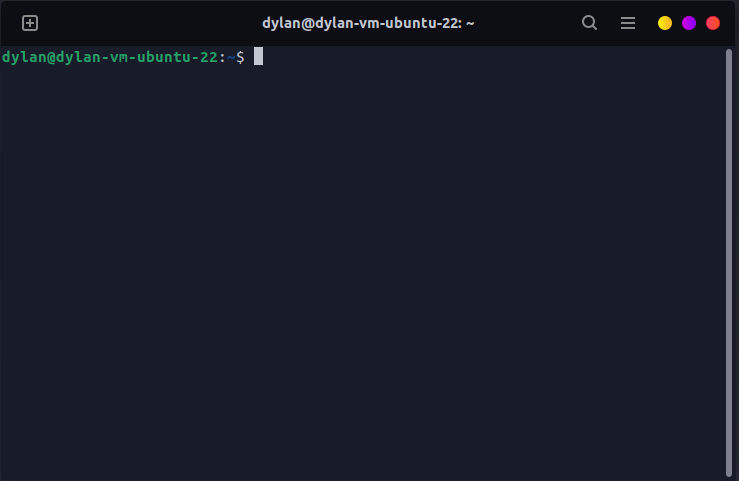
You are likely familiar with this, but just in case you aren't, the terminal is a place where we will run all of our commands to do things like list files, create new files, run scripts, install software, etc. In SCR more often than not you will be running your commands in an environment that does not have any sort of User Interface and are constricted purely to the terminal, so getting used to it and learning the ins and outs will be incredibly useful. If you are using WSL, the terminal will be opened automatically for you (it is the only way to interact with Linux). If you dualbooted and have a full user interface, you can use the keybind CTRL + SHIFT + T to open a terminal (or use the search bar and type terminal to find the application). In Ubuntu, your terminal will look something like this (again, my theme will likely be different than yours).
Basic Commands
As I noted earlier, there are a ton of commands that you can run to do various things in the terminal. You can look more up online, and likely find articles written 10x better than this one all about it, but here are a few basic commands that you will probably use often
cd <directory>- In a terminal session, you live within a directory. In the image above, you can see that the terminal was in the~directory (the small blue text before the$symbol). The~symbol indicates the "home" directory of your user. I'll list a few variations of this command you will use often to move around.cd ~- As noted above the~character/symbol is your home directory, so running this will take you from wherever you are to your home directory.cd <directory>- Will move you to a specific directory and is relative to where you currently are.cd ..- Will move you down one directory. So if we are currently in~/Desktop/Projectthen running this command will move us to~/Desktop.cd ../../- Will move you down two directories. This can be repeated as many times as you want.
ls- This command will list all files and directories in the current directory you are in.- If you want to list the files in another directory and don't want to move to it, you can run
ls <directory>and it will list the files there. - If you want to list hidden files (e.g. dotfiles), you can run
ls -a.
- If you want to list the files in another directory and don't want to move to it, you can run
nano <file_name>- This will open a text editor for a specific file, useful for quick edits. There are various editors typically preinstalled, so use whichever one is best for you.nanois my favorite though.- This geeksforgeeks article covers some useful keybinds for how to safe files, leave the editor, etc.
cat <file_name>- This will print the contents of a file to your terminal.touch <file_name>- Creates a empty file if it does not already existmkdir <folder_name>- Creates an empty directorymkdir -p <folder_a/folder_b>- Creates a nested list of folders and creates any folders that do not exist. The defaultmkdircommand without the-pargument will fail if parent folders (e.g.folder_a) do not exist
echo- Displays a line of text to the terminal, can be used for some funky stuff other than just writing to the terminalecho <text> >> <file>- For example, this command can be used to place text into a file! This ends up being weirdly useful, and you'll see it scattered throughout scripts in SCR code.
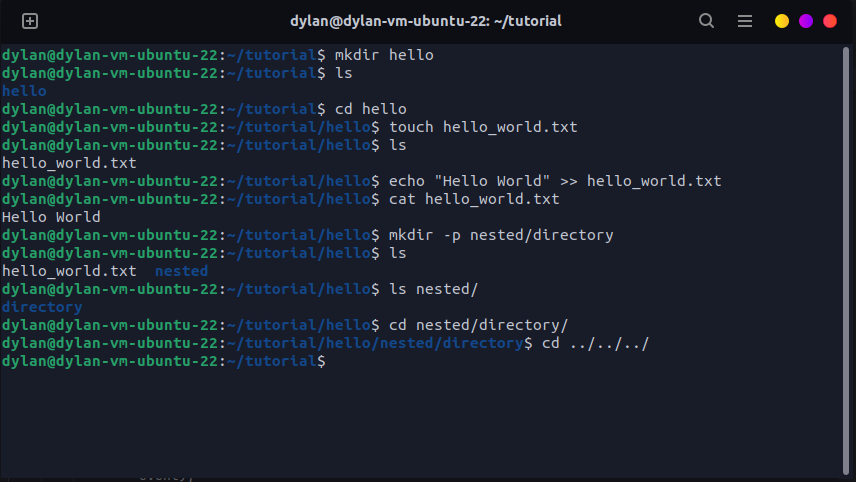
There are very likely more commands than this you will use and that you will learn throughout your time in Linux. There are tons of articles and videos online that can give you more in-depth explanations of Linux and how to use it. I've attached an image below of me running some of the basic commands above to show what they do.
Sudo
Just a quick note on this. Occasionally you will see commands ran with sudo before them, such as sudo apt install xyz or sudo ..., this means "super user". Basically, most things on linux require some set of permissions to perform and some commands require elevated permissions (similar to administrators on Windows) which is what prepending sudo is doing for you. Be very careful when running commands with sudo as these can have consquences. Specifically, any time you are running a command that can remove files like rm please be very careful.